
Using the calculator
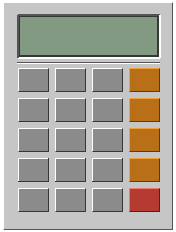
READY0
The top line of the display shows READY, or the pending operation, like 12 ×. The bottom line shows the number you are typing or the latest result.
Keys
| Key | What it does | Keyboard |
|---|---|---|
0–9 | Types a digit. Numbers can be up to 15 digits long. | 0–9 |
. | Adds a decimal point. Starts a new number as 0. | . or , |
+ − × ÷ | Chooses the operation. Pressing another one right after replaces it. | + - * or x / |
= | Shows the result. | Enter or = |
% | Divides the shown number by 100. | % |
± | Flips the sign of the shown number. | |
DEL | Deletes the last digit you typed. | Backspace |
C | Clears everything. | Delete or C |
♪ | Mutes or unmutes the keypad. See Muting. |
How it calculates
It works like a basic pocket calculator, one step at a time from left to right. There is no operator precedence: 2 + 3 × 4 = gives 20, not 14.
- Chained operations. Pressing an operator after a second number works out the result so far:
2 + 3 ×shows5, then waits for the next number. - Repeat equals. Pressing
=again repeats the last operation:5 + 2 = = =gives7,9,11. - Reuse the number. Pressing
=straight after an operator uses the shown number twice:6 × =gives36.
How results are shown
- Trailing zeros are dropped, so
0.5 × 4 =shows2. - Results longer than 16 characters switch to scientific notation, like
1.23456789e20. - Values closer to zero than 0.000000000001 show as
0.
Errors
Dividing by zero, or a result too large to store, shows Error. Typing a digit or . starts a fresh calculation, and DEL or C clears it. Other keys do nothing until then.